
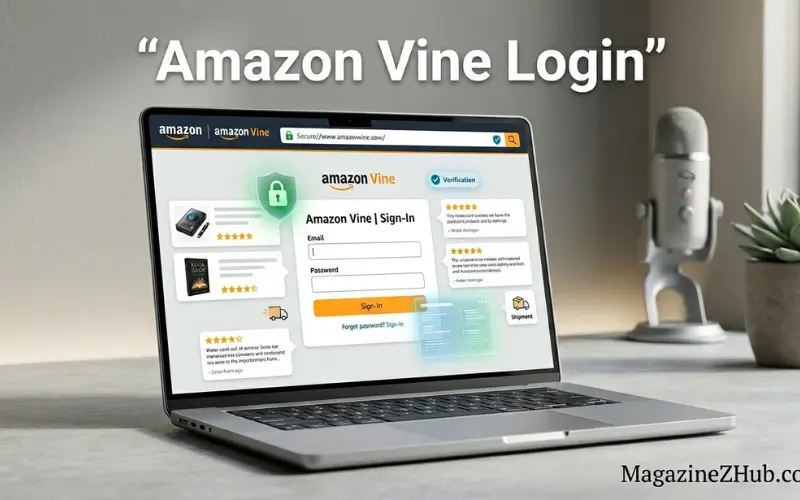
Amazon Vine Login refers to the process used by invited reviewers (Vine Voices) to access the Amazon Vine program dashboard, where they can view products, request items, and submit trusted reviews. The program is invite-only and managed through an Amazon account, where selected users log in to participate in reviewing free products in exchange for honest feedback.
Online shopping has changed the way people make purchasing decisions. Before buying any product, most users now check reviews, ratings, and customer feedback. This shift has made product reviews one of the most powerful factors in e-commerce success.
To improve review quality and help customers make better decisions, Amazon introduced a special program called Amazon Vine. This program allows selected reviewers to receive free products and share honest, unbiased opinions.
However, many users search for Amazon Vine login because they want to understand how to access the program, how the login system works, and how to become part of it.
This complete guide explains everything in simple words, including login steps, requirements, eligibility rules, dashboard usage, troubleshooting issues, and tips to succeed as a Vine Voice reviewer.
What Is Amazon Vine?
Amazon Vine is an invitation-only review program where trusted reviewers—called Vine Voices—receive products from Amazon sellers for free. In return, they provide detailed and honest reviews to help other customers make informed decisions.
The program is designed to improve:
- Product transparency
- Review quality
- Customer trust
- Seller feedback accuracy
Amazon carefully selects reviewers based on their review history and helpfulness ratings.
What Is Amazon Vine Login?
Amazon Vine login is not a separate website or app login. Instead, it refers to accessing the Vine dashboard through your existing Amazon account after receiving an official invitation.
Once accepted into the program, users can log in using their regular Amazon credentials to:
- Browse available Vine products
- Request items for review
- Track shipments
- Submit product reviews
- Manage their Vine activity
So, the login is essentially part of your standard Amazon account experience, with additional Vine features unlocked.
How Amazon Vine Login Works
Understanding the login process is important because many users expect a separate portal, but that is not how the system works.
Here is how it actually functions:
Invitation Approval
You must first be invited by Amazon. There is no public signup.
Account Activation
Once invited, Vine access is added to your existing Amazon account.
Login Through Amazon
You log in normally using your Amazon email and password.
Vine Dashboard Access
After login, a Vine section appears in your account where you can access products.
Product Selection
You can browse available items and choose products for review.
Review Submission
After receiving the product, you must submit an honest review.
Amazon Vine Login Requirements
Not everyone can access Amazon Vine. Amazon selects users based on strict criteria.
Key Requirements:
Active Amazon Account
You must have a long-standing Amazon account with a positive history.
Helpful Reviews
Your past reviews should be rated as helpful by other users.
Consistent Activity
Regular reviewing activity increases your chances of invitation.
Quality Content
Reviews should be detailed, honest, and useful.
Compliance with Guidelines
Amazon requires adherence to community standards.
How to Get Amazon Vine Invitation
Since Amazon Vine is invite-only, users often ask how to get selected.
While there is no guaranteed method, these practices improve your chances:
Write High-Quality Reviews
Focus on:
- Clear explanations
- Pros and cons
- Real usage experience
- Honest feedback
Stay Active on Amazon
Frequent reviewing increases visibility.
Build Reviewer Reputation
Helpful votes improve credibility.
Avoid Fake or Short Reviews
Low-quality reviews reduce chances of selection.
Amazon automatically selects users based on internal scoring systems.
Step-by-Step Amazon Vine Login Guide
Once invited, follow these steps:
Step 1: Open Amazon Website or App
Go to the official Amazon platform.
Step 2: Sign In to Your Account
Enter your registered email and password.
Step 3: Navigate to Your Account Section
Look for account dashboard options.
Step 4: Find Amazon Vine Section
If you are selected, a Vine section will appear automatically.
Step 5: Access Vine Dashboard
Click on Vine to explore available products.
Step 6: Start Browsing Items
You can now see products available for review.
Step 7: Request Products
Select items you want to receive.
Step 8: Submit Reviews
After receiving items, leave detailed feedback.
Amazon Vine Dashboard Features
Once logged in, users gain access to a special dashboard.
Product Listings
View available products from different categories.
Request System
Choose products based on availability.
Order Tracking
Monitor shipping status of received items.
Review Management
Submit and edit reviews within guidelines.
History Tracking
View past Vine activities and submissions.
Benefits of Amazon Vine Login
Joining the Vine program offers several advantages:
Free Products
Vine Voices receive products at no cost.
Early Access
Reviewers often get access to new or unreleased items.
Influence
Reviews help other customers make decisions.
Reputation Building
Becoming a trusted reviewer improves credibility.
Exclusive Program Access
Only selected users can participate.
Is Amazon Vine Login Safe?
Yes, Amazon Vine login is safe because it operates within Amazon’s official ecosystem.
Security features include:
- Secure account authentication
- Amazon-managed login system
- No third-party access required
- Protected user data
Always ensure you are logging into the official Amazon platform to avoid scams.
Common Amazon Vine Login Problems
Sometimes users face issues when accessing Vine.
Vine Section Not Visible
This means you are not invited yet.
Login Issues
Incorrect password or account problems.
Product Not Available
High demand can make items unavailable.
Review Submission Errors
May occur due to guideline violations.
Account Restrictions
Policy violations can limit access.
How to Fix Amazon Vine Login Issues
Reset Password
Use Amazon’s password recovery system.
Check Invitation Status
Ensure you have been officially invited.
Update Account Details
Keep your profile updated.
Clear App Cache
Fix technical glitches in mobile app.
Contact Support
Amazon support can help resolve issues.
Amazon Vine Rules You Must Follow
Amazon enforces strict rules for Vine participants:
- No fake reviews
- No biased content
- Honest product experience required
- No resale of free items
- Follow community guidelines
Breaking rules can result in removal from the program.
Tips to Succeed in Amazon Vine Program
Write Detailed Reviews
Include real usage experience.
Be Honest
Even negative feedback is valuable.
Use Clear Language
Avoid confusing or short reviews.
Focus on Product Value
Explain usefulness clearly.
Stay Consistent
Regular activity improves ranking.
Amazon Vine vs Regular Reviews
| Feature | Amazon Vine | Regular Reviews |
| Access | Invite-only | Open to all |
| Products | Free items | Self-purchased |
| Influence | High credibility | Standard |
| Purpose | Trusted reviews | General feedback |
Why Amazon Vine Matters in E-Commerce
Product reviews influence buying decisions significantly.
Amazon Vine improves:
- Trust in product listings
- Quality of reviews
- Customer satisfaction
- Seller transparency
This makes it a valuable system for both buyers and sellers.
Future of Amazon Vine Program
The future of Vine is expected to evolve with:
AI Review Analysis
Better detection of fake reviews.
More Product Categories
Expanded access for reviewers.
Global Expansion
More countries may join the program.
Improved Dashboard Features
Better tracking and usability.
See Also:
Aggr8Investing: Guide Everything You Need to Know in 2026
FAQs
What is Amazon Vine login?
It refers to accessing Vine features through an invited Amazon account.
Is Amazon Vine open to everyone?
No, it is invite-only.
Do I need a separate login for Vine?
No, it uses your existing Amazon account.
How do I get invited to Amazon Vine?
By writing helpful and high-quality reviews.
Is Amazon Vine free?
Yes, selected reviewers receive free products.
Can I choose any product?
Only available Vine items can be selected.
Is Amazon Vine safe?
Yes, it operates within Amazon’s secure system.
Why can’t I see Vine on my account?
You may not have been invited yet.
Can Vine reviews be edited?
Yes, within Amazon’s review guidelines.
What happens if I break Vine rules?
You may be removed from the program.
Conclusion
Amazon Vine login is an important gateway into one of the most trusted product review programs in the world. Instead of being a separate login system, it works through your existing Amazon account after invitation.
The program rewards high-quality reviewers with free products while helping millions of customers make informed buying decisions. Although access is limited and invite-only, users can improve their chances by writing helpful, honest, and detailed reviews.
For those who qualify, Amazon Vine offers a unique opportunity to become a trusted voice in the e-commerce world while exploring new products before anyone else.
